


Join the Colliers Digital Workspace
Manage your deals digitally and deliver an incredible occupier experience when you join the Colliers digital workspace.
TransactIQ helps CRE teams work better together. Join your team now.
How To Sign-up
Join the Colliers TransactIQ Workspace to gain access to the entire Colliers TransactIQ ecosystem, collaborate with internal & external stakeholders, and get access to the full suite of features like AI doc assist, tasks, key date reminders and more.

1. Create an Account
Enter a valid company email (ex: yourname@colliers.com) on the signup page. Choose a secure password.
Click the blue continue button.
2. Complete Your Profile
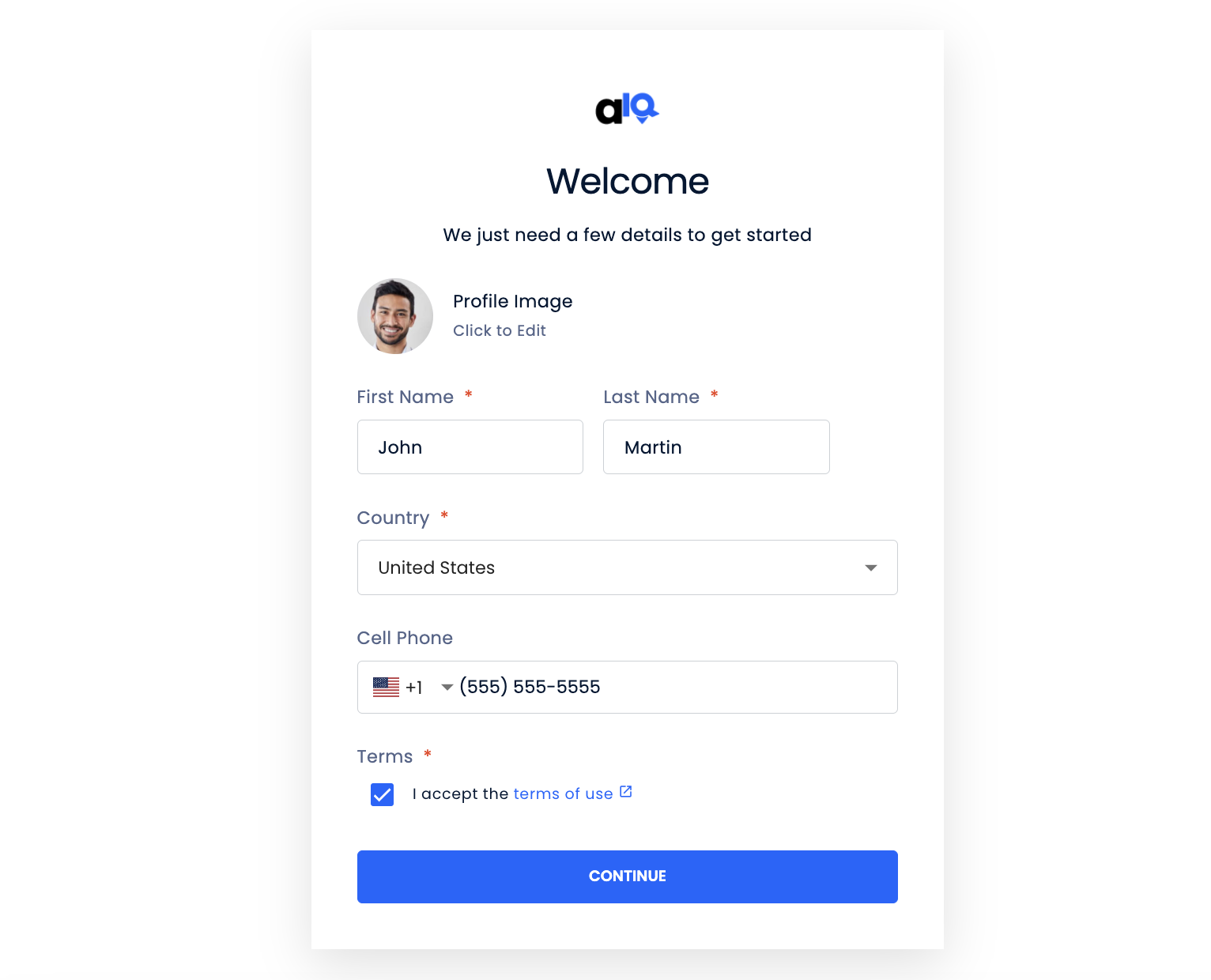
Add your full name, profile picture, preferred country, mobile number and accept the terms of use.
Click Continue.
3. Join The Workspace

On the next screen, be sure to check the box for ‘Colliers’ workspace.
This will give you access to all Team templates, team reporting, and a richer collaboration experience with your team and clients.
4. Choose Billing Preference

If you want your brokerage to cover your subscription costs, contact your workspace admin to request access to your new workspace.
OR
you can choose to self-pay to get started right away. Click ‘Manage My Plan’ to start your 14-day free trial & set up your billing.
Additional instructions below.
5. Create My Subscription
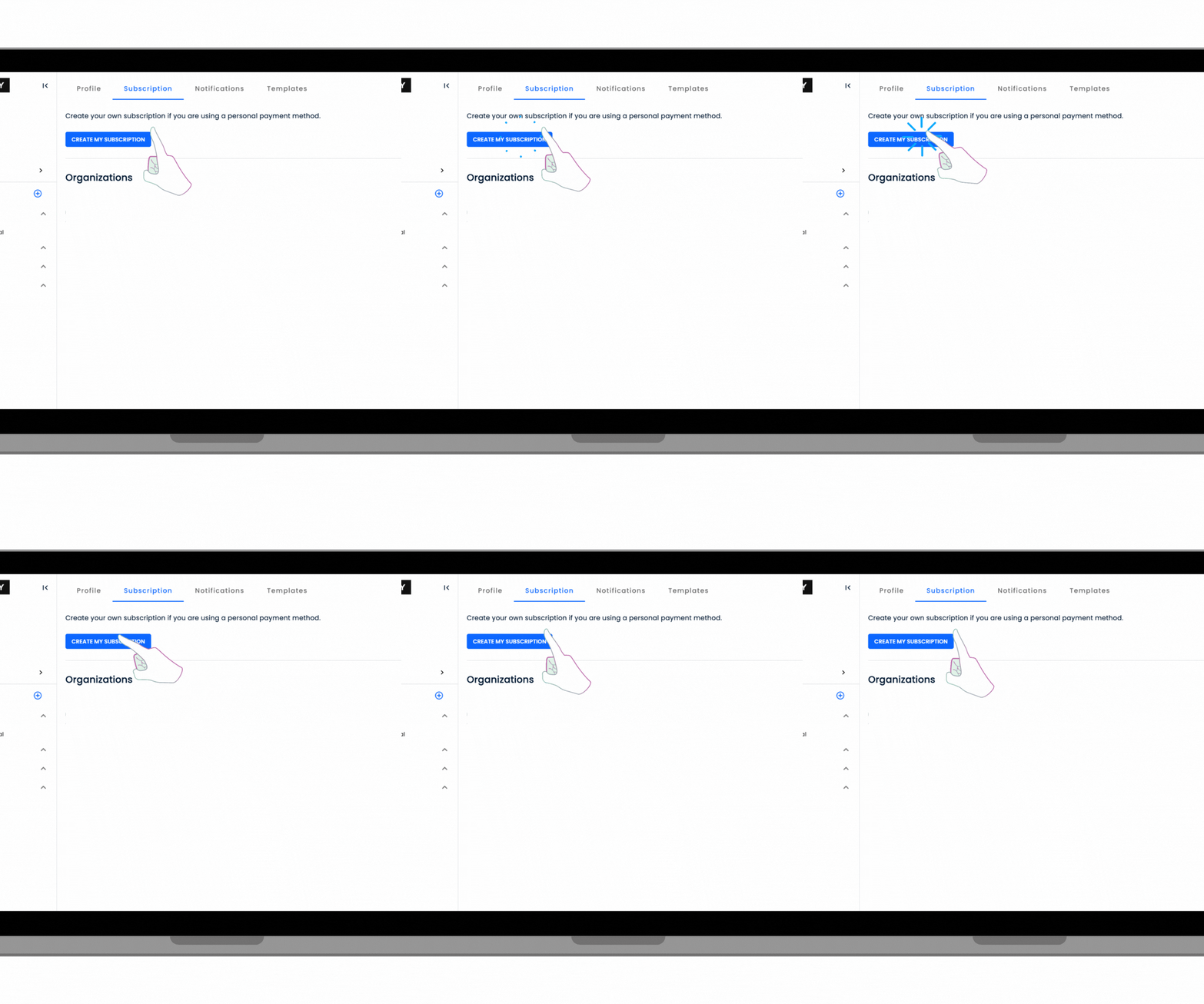
Click the ‘Create My Subscription’ button within your settings. This will take you to the page where you’ll select which subscription type you want.
6. Start Your Trial

Choose which subscription type you’d like depending on your needs. Click ‘Start Trial’ to enjoy a 14-day free trial. You’ll need to enter your valid payment details on the next page to confirm your subscription.
Need Help Getting Started?

Message us anytime: Support@anthemiq.com

FAQs
Frequently Asked Questions About TransactIQ Occupier Collaboration App
-
Yes! TransactIQ is an app designed exclusively for managing Tenant Representation Deals digitally and colboratively with your clients and team. This includes Lease, Purchase and Prospect Deals. You can also maintain all your executed (closed) deals in your private database as well for managing renewals and expirations.
-
Our current pricing can be found on the pricing page.
We take pride in being the most competitively priced Proptech solution in the market delivering incredible value at a great price.
Brokerages can choose to cover the cost of this tool for their brokers, or brokers can choose to self-pay and manage their own subscription within a workspace.
-
Yes. Our software was designed to be scalable and support an unlimited amount of active searches and closed deals.
Regardless of what your pipeline and deal flow looks like, TransactIQ can help you stay more organized, efficient and in sync with your clients and team.
You can also setup a separate workspace on behalf of your occupier RE team if they prefer to manage billing and the app themselves. Contact support@anthemiq.com for more information.
-
Yes. You can migrate existing data from other softwares to TransactIQ quickly.
There are import tools that enable you to efficiently import all your contacts and previously executed contracts in to your digital workspace.
🔥 A major benefit of joining the Cushman & Wakefield TransactIQ workspace is gaining access to the full property database. This makes searching for available spaces and creating digital Market Surveys easier than ever.
-
Yes. You have a private database for your workspace organization. We do not share any data across our clients, including listing data. We are also SOC2 Compliant to ensure data security and compliance.
-
Yes. & No.
Sharing deals with clients is super easy and you have control on which deals you invite them to see.
They will create their own secure account to log in. You also have the option to send a 'view-only' link to the market survey and tour book if a client does not want to create an account to collaborate.
And no, client and guest brokers users are free to invite to your workspace.
-
Please check out our Knowledge Base for how to upgrade or downgrade a user plan. For other issues regarding billings, legacy enterprise contracts or something else please contact us at support@anthemiq.com
-
No, we are a client collaboration and deal management platform designed to improve operations within your team and brokerage.
We recommend searching and finding available listings with 3rd party platforms and importing them to build your digital market surveys with our survey builder tool.
You do have your own private database so as you add listing data, you will have ability to access that data in the future using the property search feature.
-
No. Our software is a month to month subscription per user. You can create a workspace for your brokerage organization and save a valid credit card as payment. Your month billing is determined by the number of users and type of plan selected for each user.
-
Yes. Please visit our Supported Countries page to view all the countries we currently support. Currency and Measurement System automatically changes based on region.
If you need a location activated, just message us at support@anthemiq.com